Connecting the VeriFone MX915
Follow these steps to connect the VeriFone MX915 device to a computer.
-
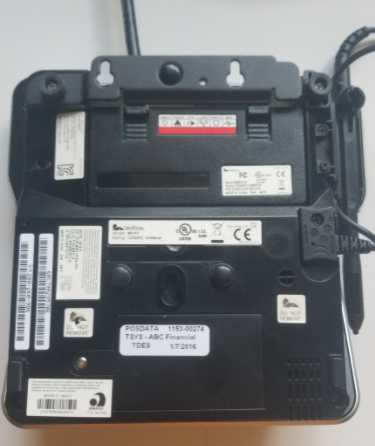
Turn over the VeriFone device. Push lightly on the grooves marked in yellow in the image below and remove the module from the device.
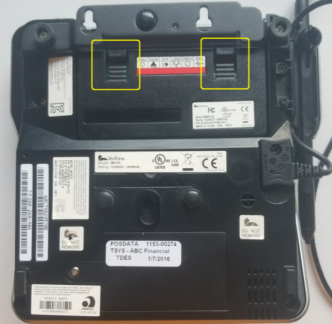
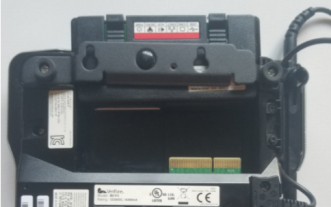
- Turn the module over and remove the metal clip that says "this side out."
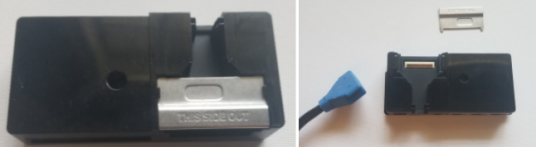
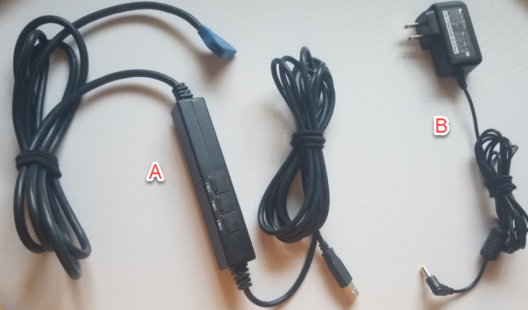
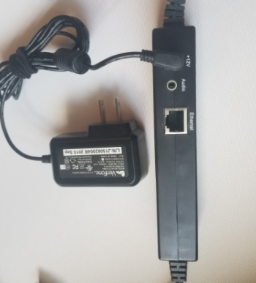
- Attach the blue connector from cable A (shown below) to the exposed groove.
- When the blue connector is attached, replace the metal clip with the "this side out" text facing outward.
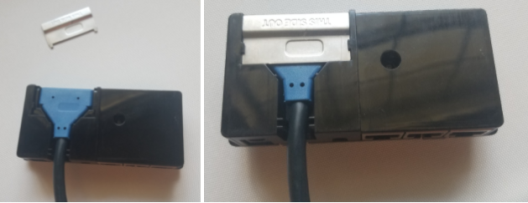
Replacing the clip backward can cause excess pressure that may break the device.
- Reinsert the module into the VeriFone device as far as it will go. It should completely cover the circuit board.
- Plug the power adapter (cable B) into the +12v port on cable A.
 © 2024 ABC Fitness Solutions, LLC.