Club Reporting System 5.5.3
Released: March 3, 2017
In This Release
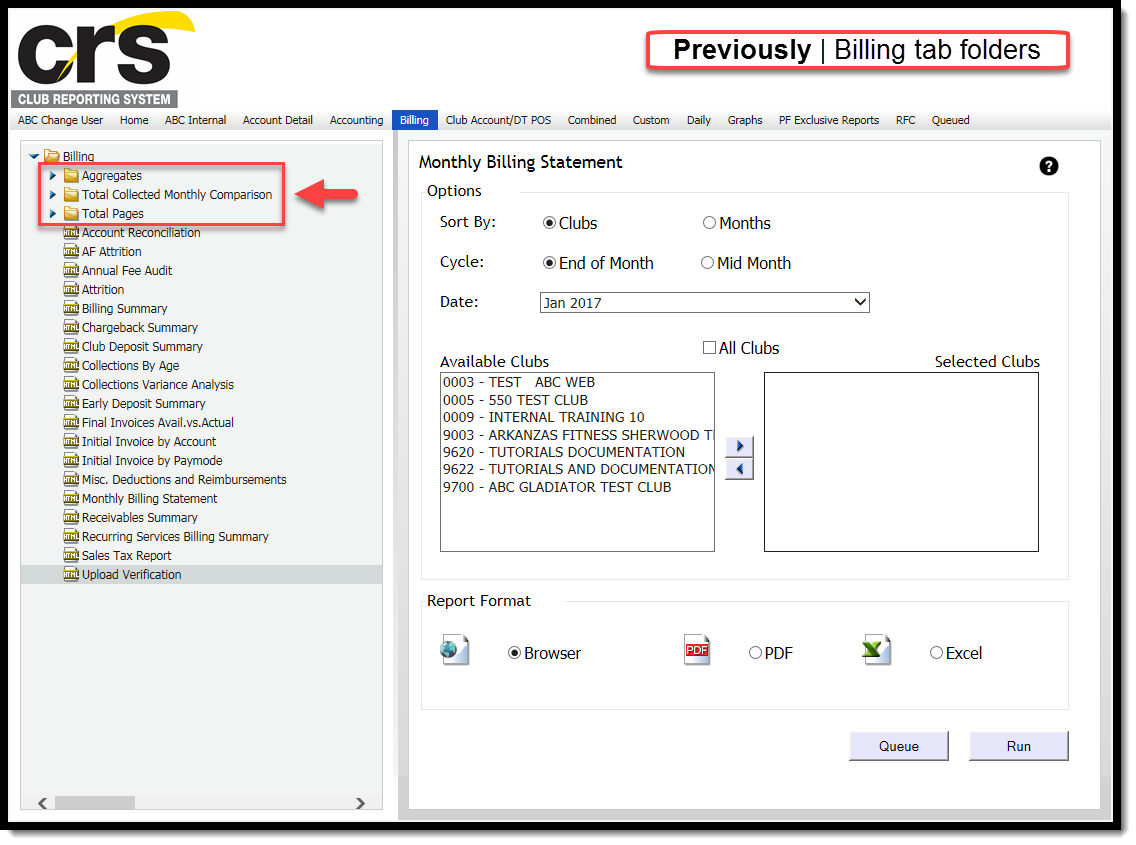
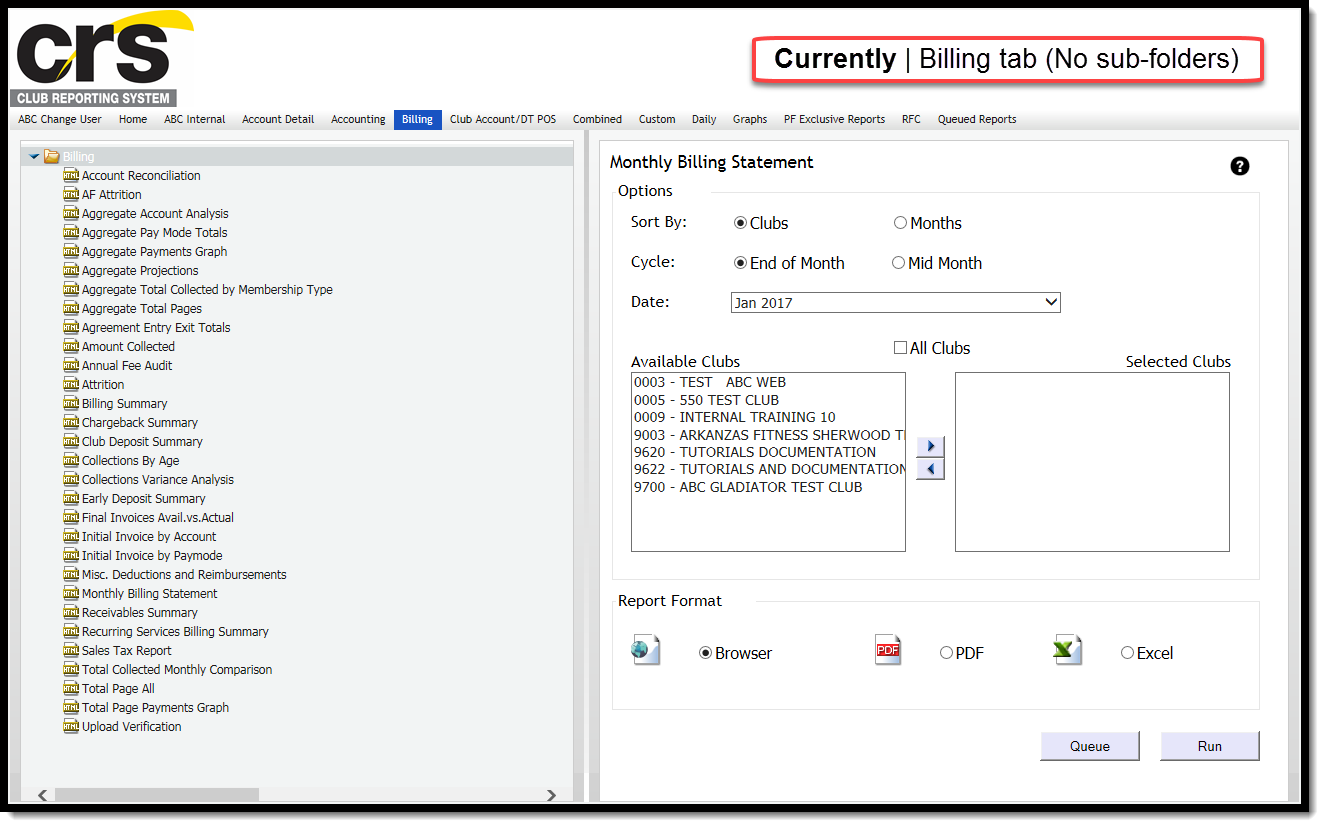
The Aggregates, Total Collected Monthly Comparison, and Total Pages sub-folders have been removed from the billing tab.
Daily Revenue and Deposit Reconciliation
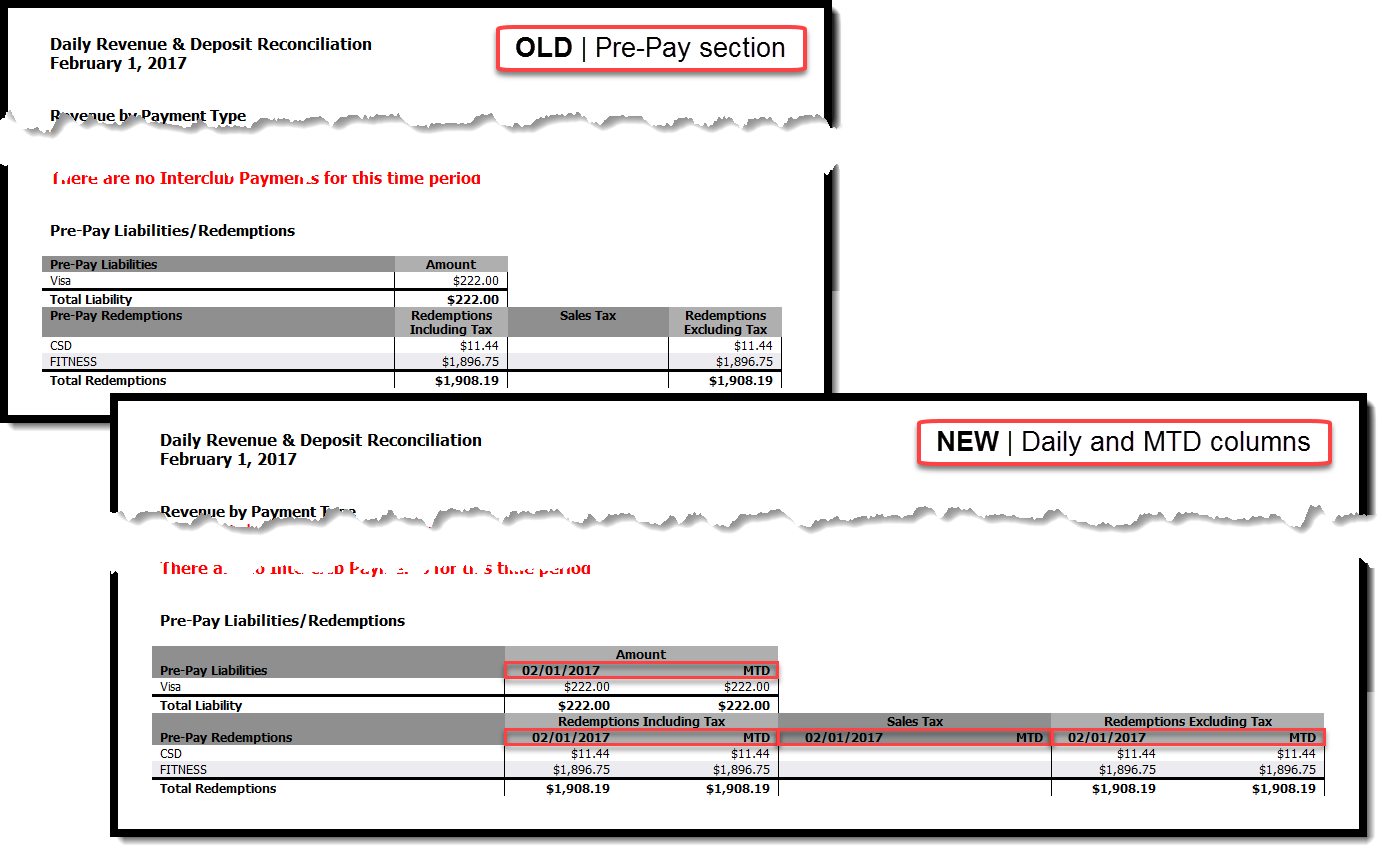
The addition of Daily amounts to the Pre-Pay Liabilities/Redemptions section allows for increased report detail.
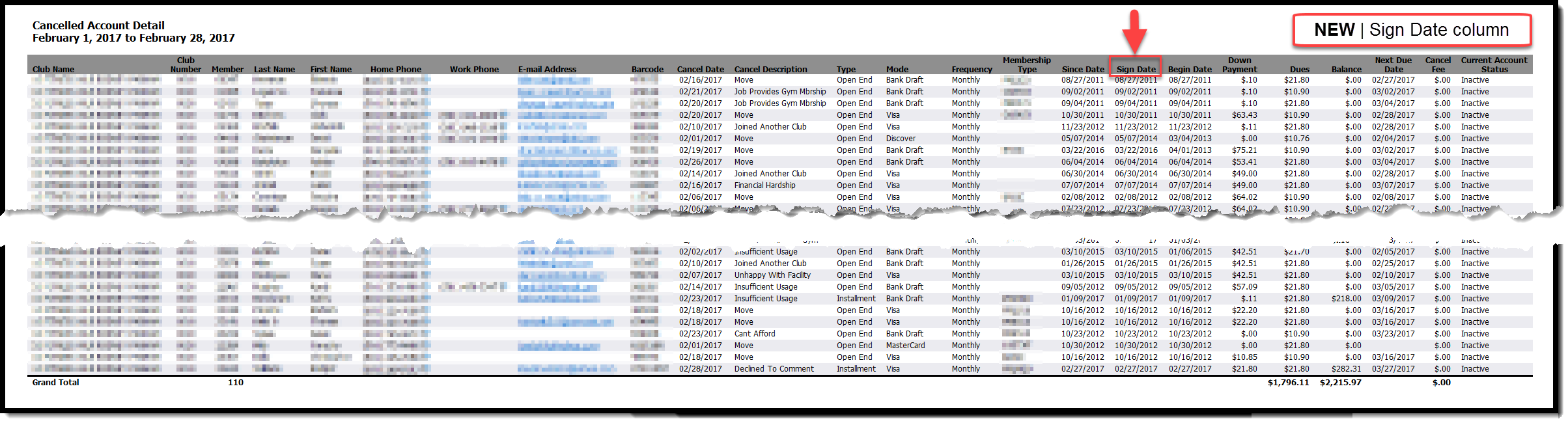
A new Sign Date column appears on all drill-down reports, and performance enhancements increase the overall speed of the report.
Billing Tab
Removal of sub-Folders
Some reports under the Billing folder appeared in sub-folders. Users navigated through these folders to find reports, which can be inefficient and time consuming. The following image displays the Billing tab folder structure prior to this release.
As of this release, the Aggregates, Total Collected Monthly Comparison, and Total Pages sub-folders no longer appear, and the reports from both of these folders are located in the main Billing folder. The following image shows the new layout of the Billing tab.
Daily Revenue and Deposit Reconciliation
Daily and Month-To-Date columns
Amounts and totals now appear in Daily and MTD columns in the Pre-Pay Liabilities/Redemptions section of the summary. Previously, this section only displayed month-to-date totals.
The following image compares the old and new layouts of the Pre-Pay Liabilities/Redemptions section.
Daily Account Adjustments
Sign Date column / Performance Enhancements
Enhancements to this report include the following:
- addition of a Sign Date column to all drill-down reports
- performance enhancements that increase the overall speed of the report
The following image shows an example of the new Sign Date column.